
Enforceable Architecture Part 4: Policy-as-Code — Rules That Apply Across the Whole Airline
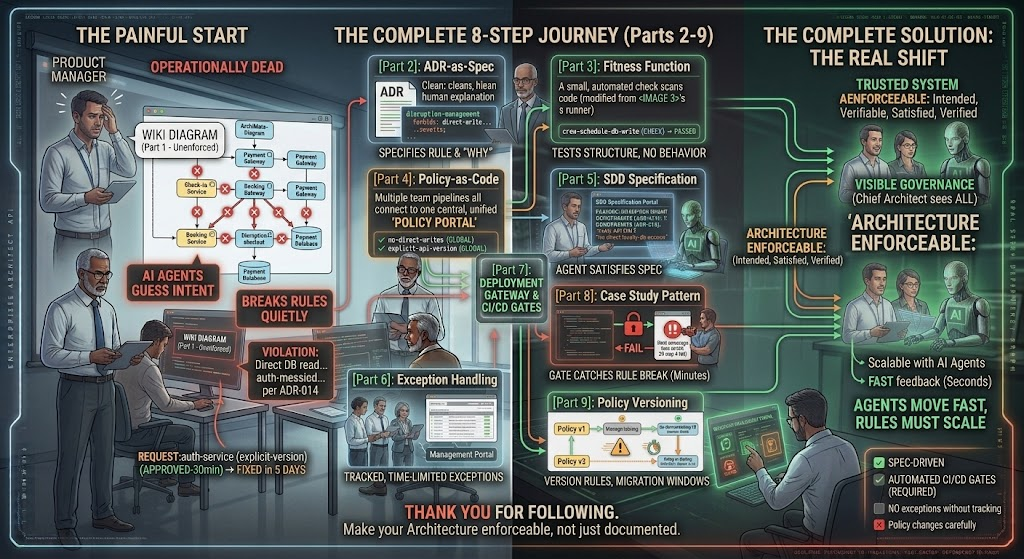
In Part 3, we built fitness functions: small automated checks that test one architecture rule against real code. This works well for one service, one team. But a large airline does not have one rule. It has hundreds — spread across booking, check-in, crew scheduling, baggage handling, and dozens of other domains. Managing hundreds of separate custom scripts quickly becomes its own problem. This is where policy-as-code comes in.
Policy-as-code means writing your rules — your policies — in a standard, shared format, using a dedicated policy engine, instead of hand-writing a custom script for every single check. The policy engine reads your rules and applies them consistently, across every repository, every pipeline, and every team, the same way every time.
Why Policy-as-Code, Not Just More Fitness Functions
Custom fitness function scripts, written by different teams, tend to drift apart. One team’s script checks imports one way; another team’s script checks something similar but slightly differently. Policy-as-code solves this by giving every team the same engine and the same rule language. Teams write policies, not custom testing code, and the engine does the enforcement work consistently everywhere.
This also makes governance visible. A Chief Architect, or an Enterprise Architecture team like the one many airlines run centrally, can see every active policy in one place, instead of hunting through dozens of separate repositories to understand what rules actually exist.
Example 1: A Shared Data Residency Policy
Airlines operating across many countries often face a rule like this: “Passenger personal data collected in the European Union must be stored only in EU-based data centers.” This is not just one service’s rule — it applies to booking, check-in, loyalty, and customer service systems all at once.
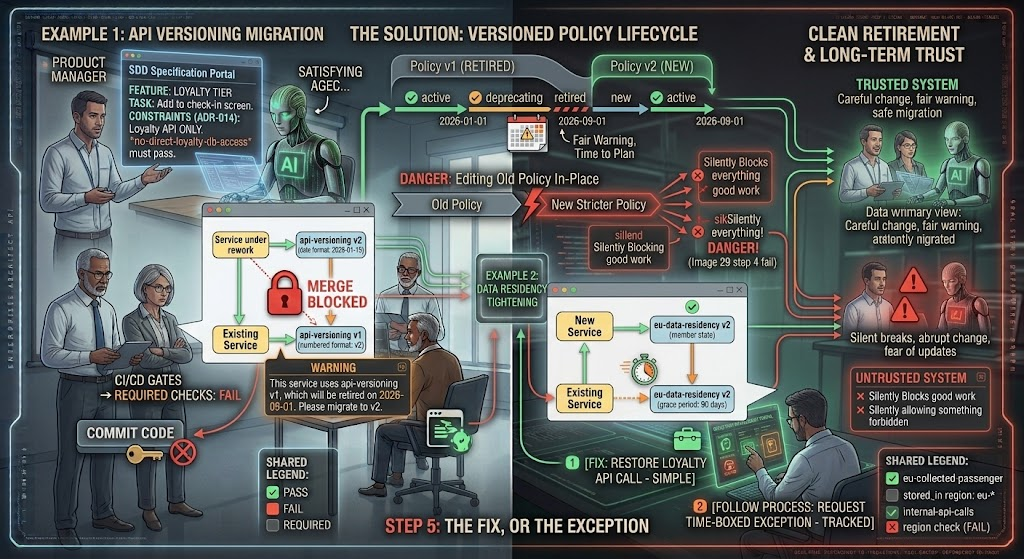
With policy-as-code, this rule is written once, centrally: eu-collected-passenger-data must be stored in region: eu-*. Every team’s deployment pipeline — booking, check-in, loyalty — automatically checks against this same central policy before allowing a deployment. If a new loyalty microservice, built quickly with help from an AI agent, is accidentally configured to store data in a non-EU region, the shared policy engine blocks the deployment everywhere, not just in the one team that remembered to write a custom check.
Example 2: A Shared API Versioning Policy
A second common rule: “No internal API may be called by another service without declaring a specific version number. Calling ‘latest’ is forbidden, because it causes unexpected breaking changes.” This rule matters for services like Flight Search, Seat Selection, and Fare Pricing, which all depend on each other constantly.
Instead of every team writing its own version-checking script, a shared policy is written once: internal-api-calls must declare explicit version, not "latest". When the Seat Selection team’s pipeline runs, and when the Fare Pricing team’s pipeline runs, both use the exact same policy check. If an AI agent generates new integration code that calls another service using “latest” to save time, the shared policy catches it in every pipeline, consistently, without each team maintaining its own version of the same logic.
The Bigger Benefit: One Place to Update Rules
When a policy needs to change — for example, a new country is added to the data residency rule — it is updated once, in the shared policy engine, and every team’s pipeline immediately uses the new version. This is very different from updating dozens of custom scripts scattered across the company, some of which will inevitably be missed.
Coming Next
In Part 5, we connect everything so far — ADR-as-spec, fitness functions, and policy-as-code — to a bigger idea: Spec-Driven Development, and what it actually means to build software in a world where AI agents write a large share of the code.
Comments